20 min read

Salla Blog
Salla Growth Team

Today we can buy almost everything online. That is why there has never been a better time to work in the e-commerce sector.
Many aspiring to design an e-store and enter the world of e-commerce imagine it to be a field where achieving tangible success is difficult. Finding a company specializing in designing a professional Saudi e-store is also perceived as hard; perhaps due to negative feedback from people who went through the experience before and failed, or from someone promoting this idea just to prevent you from entering the competitive field with them.
Salla, the Future of E-Commerce, is an Easy Platform to Start Your Business
Whatever the reason behind these thoughts, consider all of this to be in the past; the experience of e-commerce and designing a free professional e-store has become extremely easy with the Salla platform, which can help you design a Saudi e-store from A to Z in seconds.
In this article, we will provide you with a practical guide to help you overcome and bypass all these obstacles, taking you step by step to start designing your store for free on the Salla platform.
What is a Professional E-Store?

The term "e-store" is referred to in English as an Online Store or Ecommerce Website, which is a website with a special design through which you can display products or services to consumers to sell them.
It is an integrated automated system that provides merchants with a sequential selling process through several stages without direct intervention or communication between the buyer and the seller, by displaying the products and clarifying their specifications for the buyer
via attractive images and texts that give a full description of the product and its prices, as well as the methods
of payment and shipping to the doorstep.
Shipping companies - which deliver the products - are the direct link between the seller and the buyer.
A good e-store provides many features for the buyer, such as customer service, return and replacement policy, multiple payment methods, as well as tracking shipping and delivery tasks on schedule, among others.
What is Meant by Designing a Professional E-Store?
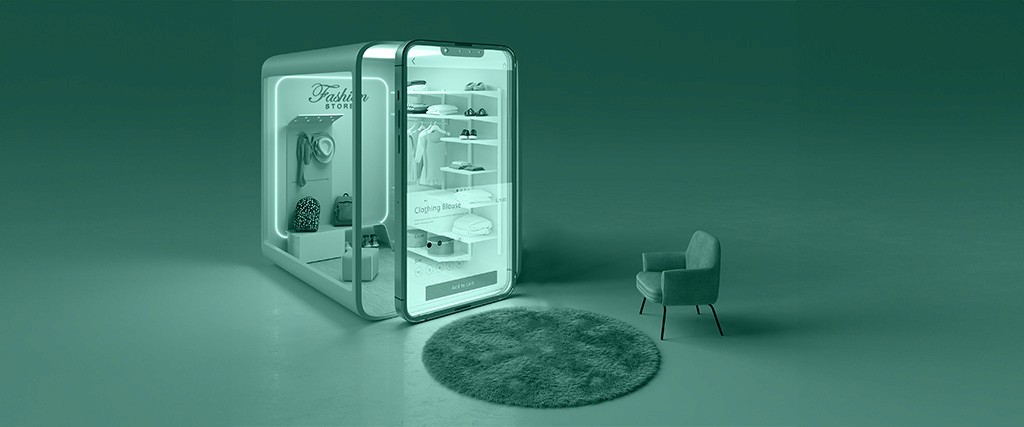
E-store design includes all the means that help you showcase attractive products and start sales operations.
Salla offers an integrated e-store that provides you with unique and innovative solutions to manage your sales operations with complete speed and ease. Therefore, the store is designed with an easy-to-use interface, along with all the e-commerce tools that help increase sales.
Statistics on the Volume of E-Commerce in Saudi Arabia

Recently, Saudi e-stores have achieved impressive results and figures, reflecting the spread of online purchasing culture and the massive expansion of e-commerce in the Kingdom.
Instead of going down and wandering around physical stores on the ground, customers can view products and check their photos on their phones, then purchase them by paying with their credit cards, to have them delivered directly to their doorstep by a shipping courier; see how shopping has become simpler and easier than before.
Numbers and Results that Prove the Success of Professional E-Stores in Saudi Arabia:
Revenues in the e-commerce market are expected to reach USD 7,051 million in 2021
The Chairman of the Entrepreneurship Committee at the Jeddah Chamber indicated that the volume of e-commerce reached about SAR 33 billion during 2019, as Saudi Arabia accounts for 45% of the e-commerce volume in the Arab world and the Middle East
There are more than 25,501 Saudi e-stores in the Kingdom alone
The fields of Saudi e-stores vary between electronic visual marketing, cooking and baking, women's essentials, as well as crafts and digital solutions.
The world of e-commerce in the Kingdom is still ready to welcome more e-stores, especially with the government's support and encouragement, and the availability of platforms that support creating e-stores for free or with limited costs such as the Salla platform. Indeed, the Salla platform has contributed to the success of many Saudi e-stores, turning ideas into their first $100!
What Do You Need to Start Designing a Professional E-Store?

There are two ways to create a professional e-store. Here is a detailed description of each method:
1- Designing an E-Store Through a Specialized Design Company:
This method is the hardest and most time-consuming and expensive — it was the most common in the past — so it might be the main reason behind those negative assumptions we talked about in the introduction of this article.
The difficulty of this method is due to several reasons, including:
In this method, you need a professional designer and a developer specialized in coding e-stores, or a company specialized in designing e-stores
You need a huge budget to hire the aforementioned team
This method consumes a lot of time, between the decision to design the store, starting to display products, and launching, as the developer writes the e-store's code from scratch, then the designer begins their work, and then the journey of modifications and improvements starts
Every time you want to make a modification to anything in the store, you have to go back to the developer.
You need a good web hosting and a domain name
And many others, so this method is more suitable for giant stores that have the time and huge budget to create a unique store, but it is not suitable for designing startup stores.
2- Designing a Professional E-Store Through Specialized E-Commerce Platforms Such as Salla Platform
This method is the most common now as it offers a large number of features for fair prices.
What are E-Commerce Platforms:

They are companies that provide integrated services to create and design e-stores and configure all their settings. For instance: Salla platform enables you to design an e-store in a few seconds, with the lowest possible costs and without any commission on sales, and here you will find the steps to build a marketing plan for your e-store
Features Provided by Companies Specialized in Designing E-Stores like Salla:
Enables you to buy a Domain name directly and link it to the platform in a few minutes
Provides you with an easy dashboard suitable for non-specialists to set up your store
This dashboard allows you to modify your store's design, making it unique in look and colors
Provides you with ready-made templates to create a professional and distinguished store in minutes
Enables you to set up payment methods with complete ease
Provides you with a support service
This option is the most suitable to create a professional e-store with simple steps without any previous experience or specialized skills.
Why Did More Than 10,000 Entrepreneurs Choose to Design a Saudi E-Store Through Salla Platform?
Salla platform provides many benefits and features for e-store owners, including:
Owning a Professional E-Store with Your Own Identity and at the Lowest Cost
With Salla, you can design your own store within a few minutes at the lowest cost, get free hosting, as well as continuous and renewed updates, and without any commission on sales.
Professional Designs that Suit Your Taste
The design and appearance of the store is the first thing that gives the customer an impression of the professionalism of those running the store. Therefore, we have provided you with a selection of highly professional designs.
Marketing Tools to Increase Your Sales
We enable merchants to market their stores professionally through simple and easy tools. Where you can run targeted marketing campaigns with professionalism and ease.
Ease of Adding Products and Inventory Management
You will be able to manage your products, whatever their type, whether they are ready-made products, custom-made, or digital products, with complete ease.
Support for All Payment Methods
We provide you with all payment methods starting from bank transfer or cash on delivery, credit card payments (Visa and MasterCard), Apple Pay, as well as PayPal.
Detailed Reports to Measure Store Performance
With these reports, you will be able to get all the information you need to track the store's performance and make the best decisions.
Salla is your practical solution to create and design a professional e-store in a few minutes without the need to hire a company or a specialist in store design. We also provide you with all the tools you need to build a successful store. Try Salla platform now and create your e-store for free
E-Store Design Prices on Salla
Salla offers you many packages that you can choose from according to your store's needs. It also enables you to create your store immediately and for free, then choose the suitable package for you later.
You can compare packages and learn about the features of each package from here, but I advise you to create your store for free and start displaying your products, then discover the features of the paid packages afterward. Don't miss the opportunity, subscribe now for free
Does the type of visitors affect the choice of the e-store's design?
Certainly, when choosing your e-store design, you must first determine the type of visitors interested in your commercial activity and study their preferences, such as: colors, product distribution, product categorization, their shopping behavior, .. and others. Based on this, you start designing your store and displaying your products in a way that suits them, organizing everything that matters to your potential customer in a harmonious way that makes them enjoy the shopping experience in your store. And here you will learn 12 steps to extract a commercial register for your company
How Do You Design a Professional E-Store on Salla?

In this section, we review with you the steps of designing your store on Salla in detail without the need for a design company:
1- From the home page of Salla website, click on the Create your store for free button
2- From the side menu of the dashboard, click on Store Design
3- From the store design page, choose from the Design Control tab
4- To choose the suitable design, click on the Select button next to the specified design template.
Note: The default design and the designs you bought from the Salla store will be displayed under the Designs list, as shown in the following images:
5- To preview your store design, from the store design page click on Preview Design
The store will be displayed with the requested design, as in the following image:
Frequently Asked Questions about designing an e-store on Salla:
We will now review with you a number of questions that might be on your mind about designing your store on Salla:
What are the most important tools and features that must be available in my e-store design?
How can I buy a new design for my store?
Is the price of the design paid once or is it a monthly/annual subscription?
Can I apply a design from outside the designs available on Salla?
Can I control my store design more privately after applying the design?
What services does the Salla store provide, and how can I benefit from them in designing my store?
Let's answer these questions now:
What are the most important tools that must be available in my e-store design on Salla?
There are many tools and features that must be available in the e-store, which vary according to the field and activity of the store, such as: the type of products and the type of visitors, but the most important of them in general are:
- Shipping and delivery service: It is one of the most important things that must be available in any professional e-store. You must also choose companies that are specialized and have a good reputation and experience in this field; to ensure delivering your product in excellent condition, and at an appropriate cost for customers. For more details on shipping and delivery options
- Organizing sales and purchase processes: This is done by setting a group of strict rules to organize buying and selling processes and return product conditions. You will find a detailed article inside the "Help Center" about these details to support you.
- Providing customer service: This service can be via email or mobile phone to receive customer complaints and resolve them as quickly as possible, ensuring communication with the customer at any time. You will find a detailed article inside the "Help Center" about the basic settings of the store
- Securing payment methods appropriate for you and the customers, and reaching the best payment gateways in your country
- Buyer protection policy: A clear policy must be available; to raise the trust level between customers and your store. For more details, visit the page for creating introductory pages in the Help Center.
How can I buy a new design for my store?
You can buy a new design from the store design page, click on Buy Design
You will immediately go to the Salla store, where you can preview the designs available on the store and buy the design that appeals to you and meets your needs.
Is the price of the design paid once or is it a monthly/annual subscription?
Rest assured, the price of the design is paid only once.
Can I apply a design from outside the designs available on Salla?
Currently no, you can only customize the design in a way that distinguishes you from other stores. Support for downloading custom designs for the merchant will be available soon.
Can I control my store design more privately after applying the design?
Yes, you can simply do that, through the Store Design page, then configure the design options that suit you:
What services does the Salla store provide, and how can I benefit from them in designing my store?
Salla store provides its clients with many services, the most important of which are:
- Renewing subscription to one of the paid packages, or upgrading the current package to Salla Plus or Salla Pro
- Buying a new design for your store
- Buying SMS credit
- Buying shipping labels
- Buying advanced services (booking/renewing a domain, store app)
Steps to purchase from Salla store:
1- From the side menu of the dashboard, click on Salla Store
2- Browse the services inside the store, which are arranged clearly and simply, and click on the service you wish to buy
For example: Buy a new design for your store
3- Choose the offer that suits you (if there are several options)
4- You will then go to a page showing you the store design template, then click Add to Cart
5- From the Salla store page, click on Checkout
6- Choose the payment method that suits you
7- If you have a "discount coupon" for the Salla store, enter the coupon details and click Apply Discount
8- Complete the payment details and click on Submit Order
Wait for the order processing to complete, then enjoy the new design you bought -in seconds- for your store.
Important notice: Don't forget to benefit from the invitation coupon, which gives you free credit with every new store on the Salla platform.
Salla offers all its clients the invitation coupon at the top of the Salla Store page, you can send it or share it with friends and followers by clicking on Copy Coupon and sending it to the person you wish to invite.
What will you benefit from the invitation coupon in Salla store?
The person who uses the coupon gets a discount when subscribing for the first time to one of Salla's packages
When they get a 10% discount, you earn a value of 10% of their subscription in your store's balance in case of subscribing to a monthly package
And when they get a 20% discount, you earn a value of 20% of their subscription in your store's balance in case of subscribing to an annual package
For example: Someone subscribes to Salla to design an e-store for the first time using the invitation coupon you provided them, in Salla Plus package for a year (SAR 990), they get a 10% discount to make it (SAR 891), and their discount value which is (SAR 99) will be transferred to your balance, meaning you will get a free month for every new store.
How Can You Customize a Professional E-Store Design on Salla?
As mentioned before, with Salla you can design a professional e-store in a few minutes, not only that, but you can also control your store design and customize it according to your needs, through simple steps on the Customize Store Design page:
1- Go to the customize store page from the Dashboard menu, then click on Store Design
2- From the store design page, and from the Design Control tab, you can start customizing your store design simply, as shown in the following image:
Frequently Asked Questions about customizing an e-store design on Salla:
How can I change the background color of the store?
What options are available to change the font in the store?
Can I customize the main menu of the store?
How can I add a custom link to the main menu of the store?
Can I decide what is displayed on the homepage?
How can I customize the homepage?
What is meant by the option to unify product heights on the homepage and categories?
Where does the (All Button) appear in the store?
How can I preview modifications to the store design?
Let's start answering these common questions:
How can I change the background color of the store?
Choose the desired color degree from the list, then click Save
What options are available to change the font in the store?
Salla provides you with a set of the most commonly used fonts in e-stores, as shown in the following image:
Can I customize the main menu of the store?
Certainly, the main menu refers to that menu appearing at the top of the store, as shown in the figure:
You have two main options to customize the main menu:
- Category list: Through which you can display main categories in your store as part of the main menu.
- Custom list: Through which you can display (product, category, informative page, external link) in your store as part of the main menu.
1- Click on the Click to customize button located under the title (Main Menu of the Store), it will take you to the main menu links box
2- Click on + Add New Link from the main menu links box
3- Set the required link details in the three boxes, then click Add
- Specify the link type, is it: product, category, informative page, or external link
- Choose the product/category/informative page
- Write the link title that will appear to the customer when they browse the store, and links will appear as a list, as follows:
You can change the order of links within the list by dragging and dropping with the mouse button up or down
- You can also delete any link by clicking the delete button located next to the link
- To edit the link, click on it and modify the information as required, then click Save
Can I decide what is displayed on the homepage?
Yes, choose from the list here what is displayed:
- Latest products, to display the latest products added to your store, or custom design, to add animated products, static products, customer reviews
How can I customize the homepage?
From the homepage customization box, click + Add Element, then choose the element to be displayed, enter its details, then click Save
For example: When adding an animated image, you must specify where you wish to display the image (on the website only, on the app only, or on both), then upload the required image, taking into account the appropriate size (1108*428)
When adding store advantages:
Choose the feature icon, then write its main title and subtitle, for example:
The store features appear when previewing as follows:
You can control the display order of these elements within the store page by clicking the order buttons (up and down), as shown in the figure:
What is meant by the option to unify product heights on the homepage and categories?
When activating the option to unify product heights, a unified area will be determined for all product images, and product names and prices will be aligned at the same level, as shown in the figure:
Where does the (All Button) appear in the store?
The display of the button (View All) can be set from the design options, as shown in the figure:
And the View All button will appear at the top left of each product category group
How can I preview modifications to the store design?
To preview your store design, click Preview Design from the store design page
The store will be displayed with the requested design, as shown in the following figure:
Models of E-Stores Designed by Salla Platform that Achieved Great Successes
The experience of "Qalat Al Takhfeeedat" store with Salla
One of the stores designed on the Salla platform, specializing in selling household utensils and containing a very large and varied range of products.
Engineer "Ali Omar Bazerah", e-store management specialist and consultant in the modern smart systems department at "Qalat Al Takhfeeedat" store, points out that the internal organization of the store was one of the most important factors of its success.
You can read the experience of "Qalat Al Takhfeeedat" store in e-commerce with Salla.
The experience of Maria's Uniform store with Salla
Maria's Uniform store is the first Saudi e-store specializing in designing and tailoring high-quality clothing for domestic workers, with distinctive designs, while providing shipping services inside and outside the Kingdom.
Mrs. "Maria Al-Amri", owner of the store, indicates that one of the most prominent tools that contributed to the success of her project and helped her understand her customers better was the Salla platform.
Hadyat El-Haj wal Moatamer Association Store
The "Hadyat El-Haj wal Moatamer" store is among the best Saudi e-stores, belonging to a charitable association specialized in serving, guiding, and educating pilgrims, Umrah performers, and visitors.
The association opens the doors of contribution and goodness to those wishing to donate to its programs and innovative projects. Therefore, it needed a specialized site to help it collect donations, charity, and Zakat electronically, and display its programs to enable the donor to choose the program they want to donate to.
Salla platform helped it create a distinguished e-store that contributed to achieving its goal. The store is characterized by being:
Carrying the identity of the association.
Created with the lowest possible costs.
Designed from the beginning with pages encompassing the association's programs in an organized way, helping people reach the program they need easily
The simple and organized design of the store contributed to solving the problem of collecting donations, and now the donor has the freedom to choose the program they wish to donate to, without imposing a specific donation amount, so they can choose among many packages according to their ability.
To summarize the above:
When starting any online business, choosing a professional e-store design has become one of the most important things you must do correctly. There are lots of trading tips and tricks available to you easily. But in this article, we presented to you all the steps that help you design a professional e-store in minutes.
In the next article, we will talk about payment gateways and how Salla helps e-store owners provide the best e-payment solutions in Saudi Arabia.

Salla Blog
Salla Growth Team
189
Article
Featured author

User Experience
5 Saudi e-commerce stores that succeeded through the Salla e-commerce platform
Salla as a bridge to the success of 5 Saudi e-stores. It is no longer like before when we make a purchasing decision, or even want to search for a specific product, a service, a plate of your favorite food, or even a coffee machine or a piece of furniture.…
11 minutes read
Salla Blog
User Experience
How you can design an online store in minutes on Salla
Today, we can buy almost everything online. That is why there has never been a better time than now to work in the e-commerce field...
20 minutes read
Salla Blog
User Experience
Step by Step | Learn How to Create a Professional Online Store
The Saudi e-commerce market is growing strongly these days, especially with the increase in consumers eager to shop online...
18 minutes read
Salla Blog

User Experience
How to build a customer journey map for your online store from scratch to professionalism
Salla is the future of e-commerce, an easy platform to start your business. A customer goes through different stages before making a purchase decision. If you think there is a secret sauce that makes the customer's journey to your online store end with buying your product at the click of a button,...
18 minutes read
Salla Blog